Passport Apply Online 2026 | घर बैठे बनवाएं आसानी से!
Passport Apply Online 2026: क्या आप पहली बार पासपोर्ट बनवाने जा रहे हैं और ऑनलाइन प्रक्रिया आपको confusing लग रही है? Passport Seva portal पर एक छोटी सी गलती भी आपकी application delay कर सकती है। इस लेख में हम आपको भारत में नया पासपोर्ट ऑनलाइन अप्लाई करने की पूरी updated process आसान भाषा में समझाते हैं। Registration से लेकर police verification तक, हर step को detail में बताया गया है ताकि आप बिना किसी एजेंट के सही तरीके से आवेदन कर सकें।
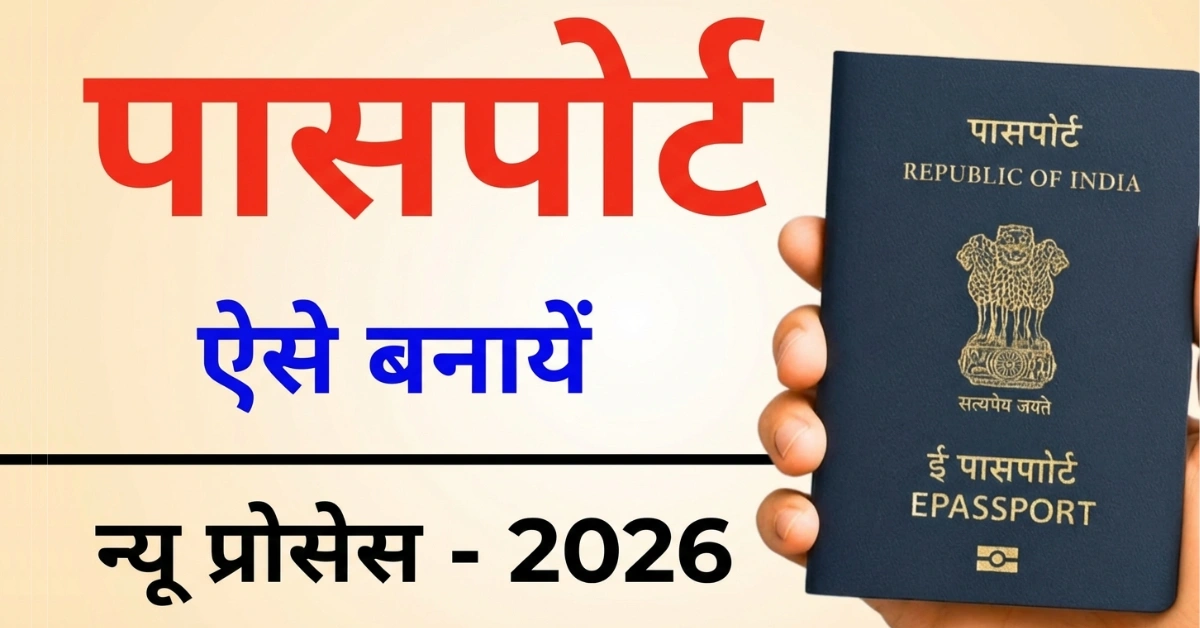

आज भी बहुत से लोग पासपोर्ट के लिए एजेंट पर depend रहते हैं, जबकि पूरा process अब almost digital हो चुका है। Passport Apply Online 2026 की updated प्रक्रिया जानकर आप समय, पैसा और unnecessary परेशानी से बच सकते हैं। सही documents, सही category (ECR / Non-ECR) और सही details fill करना बेहद जरूरी है। इस article में आपको वही practical जानकारी मिलेगी जो appointment के दिन और police verification में काम आती है।
Passport Apply Online 2026 – Process Timeline
| Step | Details | Time |
|---|---|---|
| Registration | Passport Seva portal account | Immediate |
| Form Filling | Personal & address details | 30–60 min |
| Fee Payment | Online payment | Immediate |
| Appointment | Date selection | Same day |
| PSK Visit | Biometrics & documents | Appointment day |
| Police Verification | Local police visit | 1–2 days |
| Passport Dispatch | Speed Post | 7–15 days (approx) |
Step By Step Process Apply Online
Key Steps and Instructions
Access Official Portal:
- सबसे पहले अपने मोबाइल या लैपटॉप के browser में “Passport Seva” search करें।
- Official website passportindia.gov.in open करें।
- (Ye Government of India ka verified portal hai)
Registration Process (New Users)
अगर आप पहली बार passport apply कर रहे हैं, तो registration जरूरी है:
- Register option पर क्लिक करें
- List में से अपना Passport Office select करें
- Full name PAN Card के exactly same डालें
- Email ID enter करें और उसे Login ID के रूप में choose करें
- Password guidelines के अनुसार password set करें
- Email पर आया verification code डालकर account verify करें
- Registration complete होने के बाद login करें
Applying for a New Passport
Login करने के बाद:
- Apply for Fresh Passport / Reissue Passport पर क्लिक करें
- Fresh Passport option select करें
Booklet type चुनें:
- 36 Pages (Standard) – Normal applicants के लिए
- 60 Pages – Frequent travelers के लिए
Most users के लिए 36 pages sufficient होता है।
Personal Details Fill करना
यह step सबसे important है क्योंकि यही details passport पर print होती हैं:
- First Name & Last Name carefully enter करें
- Gender select करें
- “Any other name?” – Generally No
- Date of Birth और Place of Birth (City/Village)
- Marital Status, State और District
- “Place of birth outside India?” – Usually No
- Citizenship: By Birth (Indian-born applicants के लिए)
- PAN Number (Voter ID optional)
- Employment Type select करें (Student / Private / Govt / Self-employed)
- Parents या Spouse government servant हैं या नहीं
Education Qualification चुनें:
- 10th pass or above → Non-ECR
- Below 10th → ECR (कुछ countries के लिए emigration check जरूरी होता है)
Aadhaar number डालकर UIDAI consent accept करें
Family Details
- Father और Mother का पूरा नाम
- Married applicants के लिए Spouse name mandatory
- Legal guardian details सिर्फ तभी भरें जब applicable हो
Address Details (Police Verification से जुड़ा)
- Present residential address पूरी तरह fill करें
- House no., locality, village/city, post office
- Police Station select करना बहुत जरूरी है
- Mobile number और email ID confirm करें
- Permanent address same है तो auto-fill option choose करें
Emergency Contact Details
- Emergency contact का नाम
- Relationship
- Address
- Mobile number और email
(Usually family member details दी जाती हैं)
Declaration & Verification Questions
- पहले कोई passport hold किया है या नहीं
- Diplomatic passport details (अगर applicable हो)
- Criminal cases या police records से जुड़े सवाल
- Genuine applicants के लिए answer आमतौर पर “No” होता है
Document Upload & DigiLocker Verification
- Required documents upload करें:
- Proof of Birth (Birth Certificate / School Marksheet)
- Proof of Address (Aadhaar / Bank Passbook / Post Office Passbook)
- PAN Card (ID proof के रूप में)
| Document Type | Examples | Mandatory |
|---|---|---|
| Proof of Birth | Birth Certificate, 10th Marksheet | Yes |
| Proof of Address | Aadhaar, Bank Passbook, Voter ID | Yes |
| ID Proof | PAN Card | Yes |
| Education Proof | 10th Certificate (Non-ECR) | Recommended |
| Passport Fees | 36 pages: Rs 1500, 60 pages: Rs 2000 | Normal/Tatkal |
आप DigiLocker के through Aadhaar OTP से documents link कर सकते हैं।
हर document को authenticate करना जरूरी है।
ECR vs Non-ECR Ka Farak
Education 10th pass ya zyada = Non-ECR (no emigration clearance Gulf jaane ke liye). Below 10th = ECR category, work visa ke liye extra clearance chahiye. Job seekers especially Gulf jaane walon ke liye Non-ECR zaroori hai time save karta hai.
Video Source by Sarkari DNA
Join for Latest Update
| Join WhatsApp Channel | Join Now |
| LinkedIn Profile | Connect Now |
| YouTube Channel | Subscribe Now |